

Build around the way customers actually reach you
Web development for a West Point business starts with the route from a customer question to a useful response. A visitor needs to understand your offer, decide whether it fits, and find a next step that works on a phone. Galactic Digital Studios connects content, page structure, and implementation so the website supports that journey instead of simply displaying a business name.
West Point’s business resources recognize both commercial and home-based operations. Those models call for different website decisions. A storefront can explain visits and opening hours; an appointment-based provider can explain request and confirmation steps; a mobile service can describe coverage. These hypothetical examples help identify requirements without assuming every West Point company operates in the same way.
The city’s General Plan, approved in December 2024, guides future development. Planning information provides context, but a website should describe the business as it operates today. Do not publish a proposed location as an open branch or use anticipated growth as proof of demand. Accurate service details are more useful to customers than broad claims about a changing market.

Decide what each page must help someone do
Write down the three questions you answer most often before a sale. They might concern service suitability, what an estimate includes, or whether a customer needs to prepare anything. Organize pages around those questions and the differences between your services. A visitor should not have to interpret an internal department name or a vague headline to know where to go.
A useful service page explains the work, who it is for, important limitations, and what happens after an inquiry. An overview introduces the business and directs people to detail. Real project examples can help customers assess fit when you have permission and accurate information to share. Avoid creating many near-identical pages simply to repeat a city name; give each page a distinct purpose.
Coverage also needs a clear explanation. If a West Point provider serves customers in Syracuse or Clinton, identify the applicable services and any scheduling considerations. A customer should be able to understand whether to inquire without assuming a separate office exists in each community. Discuss which locations deserve detailed content based on real differences in the service, not just a list of place names.

Make inquiry forms useful for both sides
A form should ask for the information needed to take the next step. A project type and a brief description may be enough for an initial conversation; a more specialized service may need different details. Too many required fields create unnecessary work, while too few can leave your team unable to respond usefully. Decide the workflow before choosing the fields.
Visitors need visible labels, understandable error messages, and a clear confirmation when their request succeeds. Your team needs a known destination for inquiries and a way to notice delivery failures. Testing should include unsuccessful submissions as well as the happy path. Discuss any scheduling, payment, or third-party tools separately so their responsibilities, accounts, and recurring costs are understood.
Mobile use deserves the same attention as the desktop presentation. Text must remain readable, controls need room to operate, and important information should not disappear inside a decorative effect. Keyboard access, heading structure, contrast, and meaningful image descriptions help make the content usable. These checks support a practical experience; they do not justify a blanket accessibility claim without the relevant review.

Agree on content before polishing the interface
Discovery identifies services, audiences, existing pages, and the desired customer action. A proposed structure shows which information belongs together and how visitors move between it. Content preparation then resolves the questions a design cannot answer: what you actually offer, which claims are supported, and who approves the final wording. Clear content reduces expensive uncertainty later.
Design direction establishes typography, spacing, imagery, and the way important information is emphasized. Development turns that direction into responsive pages and agreed functionality. Review the work with realistic content rather than placeholder sentences. Long service names, missing images, and an error message often reveal problems that a polished homepage screenshot will not show.
Before launch, check internal links, forms, page titles, redirects where needed, and the primary flows at different screen sizes. Existing sites may need a migration plan so useful URLs and content are not accidentally lost. Agree on who controls the domain and hosting, who authorizes launch, and how unexpected issues will be handled. The launch checklist should match the actual project.
Plan for maintenance and judge the evidence
A website needs an owner after delivery. Decide who changes hours, service descriptions, staff information, or project examples. If your team will edit content, discuss the editing workflow and training needed. If changes will be requested from Galactic, confirm how that service is scoped. Backups, software updates, and third-party accounts also need clear responsibilities appropriate to the chosen platform.
Budget depends on functionality and content readiness as well as page count. An existing site with complicated forms or a substantial content migration may involve more work than a larger collection of straightforward pages. Bring a list of essential features and a separate list of later ideas. That distinction helps define a first release with one complete customer journey.
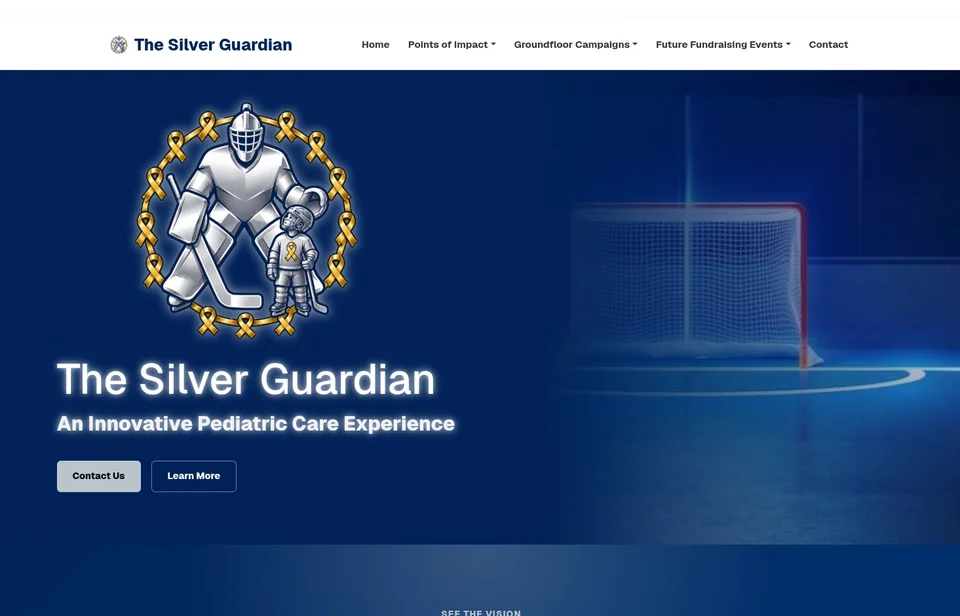
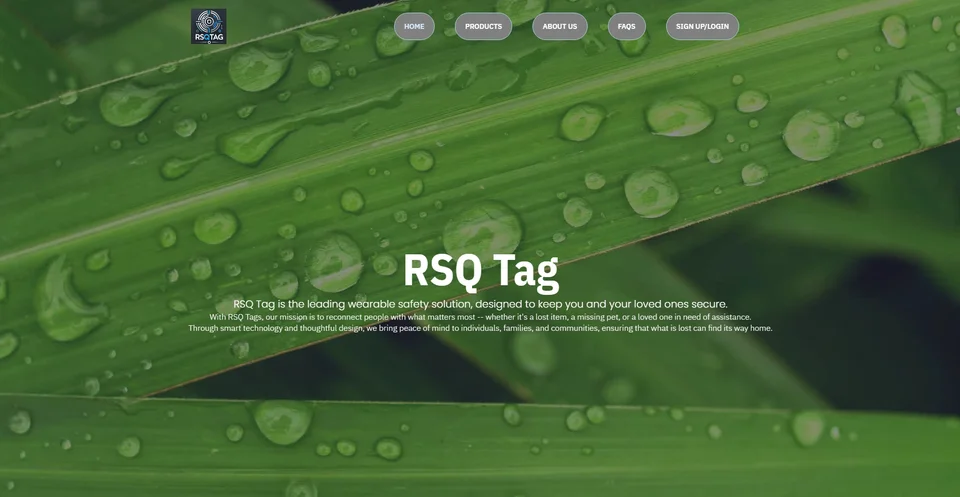
Galactic’s website portfolio gives you examples to examine beyond a claim that a site looks professional. Look for readable hierarchy, clear service information, and consistent visual choices. The examples displayed here are existing portfolio work, not West Point client claims. Search visibility and lead volume also depend on competition, demand, content, and follow-up; no redesign can guarantee them.
After launch, review real questions and points of friction. If visitors repeatedly ask about a service boundary, clarify the relevant page. If staff receive incomplete inquiries, revisit the form instructions. Improve the site using observed needs and agreed measures, while treating analytics or additional tracking as a separate implementation decision when it is required.
Questions about web development in West Point
Can you work with an existing website?
We can discuss the current platform, access, content, and problems before defining a scope. Whether to refine or rebuild depends on the limitations and the work needed to meet your goals.
Should our site show a home address?
The site should accurately explain how customers use your service. A home-based business that does not receive walk-in visitors should make its service area and appointment process clear rather than imply public opening hours.
Can the website accept appointment requests?
Include that requirement in the brief. A request form and a live booking integration are different scopes, with different account, scheduling, and confirmation needs. Confirm which behavior you actually require.
Will we own and be able to update the site?
Confirm access, ownership, licenses, hosting, and editing arrangements in the proposal. Ask which parts your team can update and what documentation or ongoing support accompanies delivery.
How long will development take?
Timing depends on content readiness, functionality, migration, approvals, and testing. Share your target date early so the essential launch scope and dependencies can be discussed before work begins.
Connect the work across your business
West Point web and design services · West Point graphic design · West Point logo design
Compare relevant service-area information for Clinton and Syracuse, or explore Galactic’s portfolio before discussing your scope.
Your next step
Make the next customer decision easier.
Tell us which service your customers need to understand and what should happen after they inquire. We can plan a West Point website around that complete customer path.
Discuss your West Point project