

Keep the explanation useful after the first meeting
A customer may understand a service during a conversation but need a clear reference later. A welcome guide, comparison sheet, or reminder can preserve the important information and make the next step easier to follow. Galactic designs these materials for businesses serving Clover Creek around the reader's task, with a deliberate hierarchy and consistent service language.
Clover Creek is listed by Pierce County as an unincorporated community. Its shared name with a broader waterway is a reminder that location wording should be specific to the business. A customer document may need a concise coverage statement or appointment instruction, but it should not suggest that the company serves an entire watershed or has premises wherever the name appears. We keep geographic context separate from the actual service commitment.
Choose a document for each stage of the relationship
A comparison sheet helps someone evaluate options before deciding. A welcome document explains the agreed process after contact. A reminder points to an action at the appropriate time. These pieces can share an identity while using different content structures. Defining the stage first prevents a short reminder from becoming an overloaded brochure or a welcome guide from repeating the entire sales introduction.
Review the messages your team sends repeatedly. Which questions remain after customers read them? Which details are routinely copied by hand? Those examples help identify where a reusable layout or clearer reading order could be useful. The first project might be a small document family rather than a broad marketing package, depending on the communication that needs the most attention.

Separate reusable guidance from individual details
A stable explanation of the process can remain consistent while names, dates, scope, and appointment information change. We plan the layout so staff can identify those variable areas easily. This supports reuse while reducing the risk of carrying an old detail into a new customer document. The design should make the distinction clear without requiring staff to remember every field that needs attention.
Use realistic examples during planning, including a longer service name and a case with more explanation. A template that works only with short sample text will cause difficulty in routine use. We discuss how extra content flows, what can be omitted, and when a second page is preferable to shrinking everything until it becomes uncomfortable to read.
Give readers a visible sequence
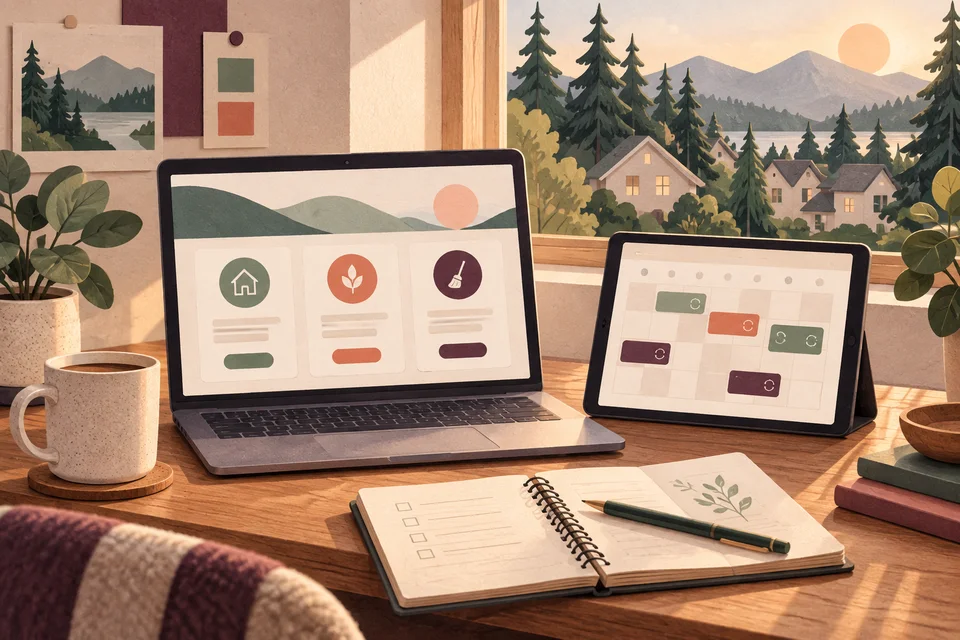
We begin by identifying the main point, the supporting information, and the next action. Headings and grouping help readers scan before studying details. A welcome guide might distinguish what the business will do from what the customer needs to prepare. A comparison sheet might place the same categories in the same order for each option.
The initial design applies your existing identity where suitable and uses realistic content. Type, color, spacing, and image treatment establish a coherent direction without forcing every piece into an identical arrangement. We review the longest and shortest examples so the system can handle the expected range.
Show us the guide or follow-up message customers rely on, and tell us what still needs explaining.
After the direction is approved, we adapt it to the agreed formats and check the final content in context. Factual approval remains with your business, particularly for schedules, inclusions, and any promise that customers may use to make a decision.

Plan the editing workflow along with the design
A finished PDF and an editable template are different deliverables. If staff will make changes, the scope should identify their software and the edits they need to perform. Template setup, licensing, and practical instructions may be necessary. A source file is only useful when the person receiving it has the tools and confidence to work with it.
Budget depends on original layouts, content restructuring, versions, image preparation, and output requirements. Print specifications such as size, folding, and supplier settings should be known before final production. Digital materials need suitable file sizes and working links. Printing, delivery, future updates, and additional revisions should have clear treatment in the agreement rather than remain assumptions on either side.
Try the material as a customer and an editor
Read the piece at its intended size and on the device where it will be opened. Can the customer find the important instruction quickly? Are optional details distinguishable from required steps? If the material is printed, a physical proof can reveal small type or crowded spacing that is easy to miss on a large screen.
Then make a realistic update and export the file. Check names, dates, links, and any scannable code. The destination should agree with the document and remain useful when information changes. These checks connect visual design to the full communication process, helping ensure that the material works both for the customer reading it and the employee preparing the next version.

Make consistency easier to repeat
A concise reference can explain where approved files are stored, how versions are named, and which elements should stay fixed. This is valuable when more than one employee communicates with customers. We discuss how much guidance the project needs so the business can maintain the material family without turning every routine change into a new design task.
The Galactic portfolio provides examples of hierarchy and visual consistency you can inspect. Those examples do not imply Clover Creek commissions or a measured retention result. Clover Creek web development can provide a current online destination for the material, while Clover Creek logo design can establish identity assets that are missing. Shared language and visuals help customers recognize the same business throughout the relationship.
Questions about graphic design in Clover Creek
Can you design welcome materials for new customers?
Yes. We can organize the information needed after the initial agreement or inquiry, including process, preparation, and next steps. The scope should identify which content is reusable and which details will be personalized by your team.
Can reminders match our website and documents?
Yes. A shared visual direction and consistent service language can connect them. The reminder should still remain concise and focused on its specific action, with links to current detail where more explanation is needed.
Can staff update the templates?
That can be included when the software, intended changes, and user needs are known. We plan editable areas and test a realistic update so the layout is suitable for the people who will maintain it.
Do you include printing?
Printing is included only when explicitly agreed. Design and production have different requirements, so supplier costs, quantities, proofs, and delivery timing need confirmation. We can discuss the coordination required for the intended output.
How should we prepare our existing content?
Gather the current documents and recurring messages, then mark information that is outdated or often misunderstood. Identify the person who can approve the service facts. Finished copy is helpful, but a clear view of the communication problem is a useful starting point.
Related services and nearby areas
Clover Creek web & design services · Clover Creek web development · Clover Creek logo design · Spanaway services · South Hill services · Galactic portfolio
Plan your next step
Put clearer communication to work.
Bring the materials your Clover Creek customers receive before and after starting work with you. We can shape a graphic design project that makes the sequence easier to understand and gives your team a consistent, reusable set of documents.
Discuss your Clover Creek project