

Make a business presentation useful after the meeting
A presentation often needs to work twice: once while someone explains it and again when the recipient reviews or shares it later. If the material depends entirely on the speaker, important context can disappear. Graphic design can help the message remain clear beyond the original conversation.
Edgewood’s planning material describes both residential neighborhoods and the Meridian Avenue East mixed-use corridor. That local variety is a reason to define your own audience carefully, rather than assume one message suits every situation. A capabilities document should reflect the actual business and the conversation it needs to support.
Galactic Digital Studios helps Edgewood businesses organize project sheets, presentations, and related materials into clear visual narratives. We focus on the information a reader needs to evaluate the work, then shape the layout and formats around that purpose.
Choose what the reader should remember and do
Begin with the decision the material supports. A general introduction may need a concise explanation of capabilities. A more advanced conversation may need a relevant project example, a scope comparison, or a description of the working process. Those purposes call for different levels of detail.
Identify the reader and the setting. A document shared internally may reach someone who missed the meeting and knows little about the business. Give that person enough context to understand the offer without reproducing every word of a spoken presentation.
For a hypothetical service provider, a short capabilities sheet could lead to a more detailed project summary when interest becomes specific. This is an example of organizing information, not a claim of an Edgewood commission or a recommended package for every business.

Build a story from the available evidence
A useful project sheet can explain the starting situation, the business’s role, and the delivered work. Include constraints when they help the reader understand a decision. The story does not need an invented success metric to demonstrate thoughtful work.
Keep statements proportional to the evidence. If the business handled one part of a larger engagement, describe that contribution accurately. Obtain approval for client names, images, and any restricted information before treating them as available design material.
Use headings that carry meaning on their own. A reader scanning the document should be able to identify the service, the relevant example, and the next step. Decorative titles can support tone, but they should not obscure what the page is actually explaining.

Design for both guided presentation and independent reading
A slide shown during a conversation may need fewer words and larger visual elements than a leave-behind document. Trying to make one file do both jobs can create dense slides or an incomplete handout. Discuss whether separate, coordinated outputs would serve the audience better.
Prepare layouts with real text and images early. Long project names, uneven image proportions, and necessary qualifications can change the design substantially. A system should accommodate those realities without requiring every example to look artificially identical.
Pay attention to reading order, contrast, and image captions. For digital documents, agree on accessibility and file-structure requirements. For print, test the intended size and viewing conditions. A layout that looks elegant on a large screen may need adjustment for an ordinary printed sheet.
Approve the structure before adapting every format
Start with an inventory of the required pieces and available content. Identify who owns factual approval, who provides imagery, and who consolidates feedback. Missing inputs should be visible in the schedule so the project does not stall after design has begun.
Develop one representative piece to establish the hierarchy and visual direction. Review whether an unfamiliar reader can explain the offer and identify the relevant evidence. Refine that model before extending it to additional project sheets, presentation pages, or supporting cards.
Check the final outputs for links, captions, version consistency, and production requirements. If a printer is involved, confirm dimensions, bleed, stock, and any finishing constraints. Production coordination and proofing should have clear responsibilities in the agreed scope.

Keep the materials adaptable without losing consistency
A reusable layout should make routine additions manageable. Decide which elements staff can edit and which should remain fixed. Test the template with both short and long examples so it remains usable when the next project has a different amount of content.
Deliverables should distinguish editable sources from approved exports. A simple file inventory can explain which version is suitable for email, presentation, or print. Agree on software access, font licensing, and any training needed for the person maintaining the materials.
Cost depends on the number of distinct layouts, content development, image preparation, adaptations, and revision rounds. Updating a consistent set of sheets differs from creating a new presentation system from scattered source material. A useful estimate makes those differences understandable.
Look for clarity that survives a quick review
Ask a reviewer to find the business’s role, a relevant example, and the proposed next step without explanation. If those details are difficult to locate, the hierarchy needs work. This review can improve usability without pretending to predict sales outcomes.
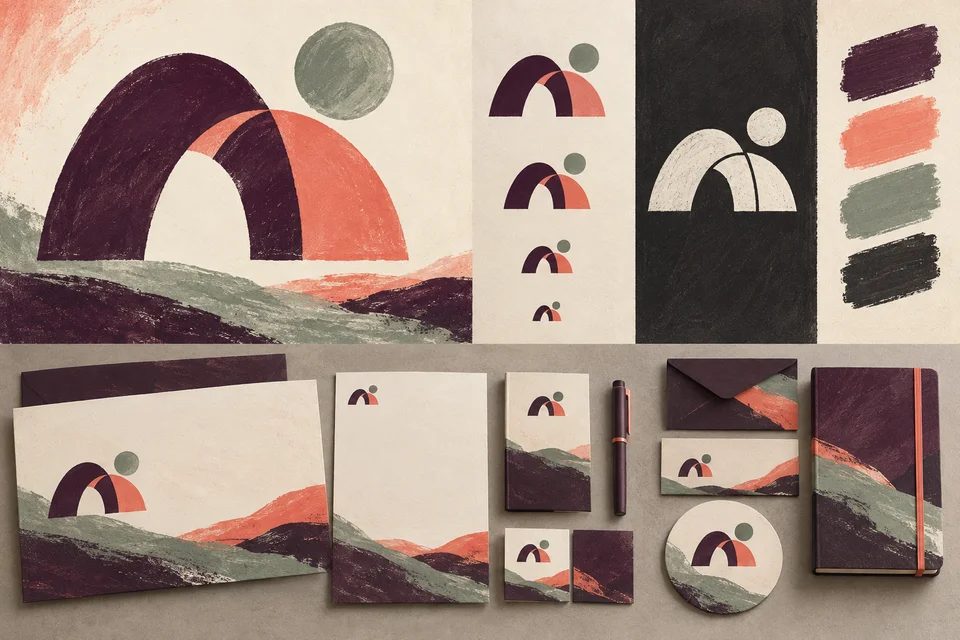
The conceptual materials shown here illustrate possible directions, while portfolio pieces represent broader studio work. They are not evidence of local clients. Evaluate the examples through their organization, readability, and suitability for the format, then discuss how those qualities relate to your project.
Graphic Design questions for Edgewood businesses
Can you turn existing project information into a capabilities sheet?
Yes, provided the facts and publication permissions are available. The work may include editing and organizing content as well as design. Agree on who supplies and approves the information before production begins.
Should a presentation also serve as our handout?
It can, but the two uses often need different amounts of explanation. A coordinated handout may be more useful when recipients review the material without a speaker. Choose the outputs based on the actual meeting and follow-up process.
Can staff add future project examples?
Editable templates can support that workflow when the software, content fields, and editing boundaries are defined. Guidance should cover image selection, text length, and export settings. More complex changes may need separate design support.
What if we have no measured results to include?
Describe the verified problem, your role, the constraints, and the delivered work. Avoid substituting unsupported performance claims. A clear explanation of the work can still help a reader evaluate relevance and capability.
What affects the schedule?
Content readiness, image rights, approval availability, the number of formats, and print requirements all matter. Identify any meeting or production deadline early so the scope can account for those dependencies.
Explore related services and nearby areas
Edgewood web and design services · Edgewood web development · Edgewood logo design · Tacoma services · Puyallup services · Galactic portfolio
Plan your next step
Give your work a readable, shareable explanation
Share the presentations and project details you use today. We can shape them into coordinated materials that help people understand your contribution and take a sensible next step.
Discuss your Edgewood project