

Give your work enough context to be useful
A project image can attract attention without explaining very much. Visitors still need to know what the business contributed, what kind of problem it handled, and how the example connects to the service they need. A useful website brings those answers together instead of leaving the reader to infer them.
Edgewood’s city transportation page describes a primarily residential community with employment and shopping connections inside and outside the city. For website planning, that suggests a practical question: how can a business explain its actual offer and coverage to people arriving from different contexts? It is a planning inference, not a traffic forecast.
Galactic Digital Studios develops websites for Edgewood businesses around clear service information and purposeful browsing. We consider content structure, design, implementation, and the inquiry path together so an attractive example leads somewhere useful.
Decide which examples answer a buying question
Choose work that helps a visitor understand fit. The largest or newest project is not automatically the most useful example. A smaller engagement may explain a common service more clearly or show how the business handled a relevant constraint.
For each example, identify the service, the business’s role, and the facts available for publication. Distinguish delivered work from proposed concepts. If several organizations contributed, credit responsibilities accurately so the page does not imply the business completed work outside its role.
A hypothetical specialist could use one detailed example and several shorter summaries rather than creating identical long pages for every job. The right structure depends on the depth of the material and the questions people ask before making contact.

Connect service pages and examples in both directions
A service page should explain the offer independently, then link to relevant supporting work. An example should make it easy to return to the related service or begin an inquiry. These connections help readers explore at the level of detail they need.
Use categories only when they make browsing easier. A small collection may work well as a simple overview, while a larger archive may need meaningful filters. Avoid adding categories that contain one item or use internal terminology unfamiliar to customers.
Project titles and summaries should describe the work rather than merely label it. A reader scanning several cards needs enough information to choose what to open. Important context belongs in text, even when the images are visually compelling.

Balance rich imagery with readable pages
Images should support the explanation and load appropriately for the device. Select useful views, prepare suitable sizes, and provide meaningful alternative text where an image carries information. A gallery should not require a large download before the visitor can understand the basic service.
Keep essential facts available outside interactive controls. People should be able to read the core story without discovering a hidden caption or using a complex carousel. If a lightbox or filter is included, its keyboard behavior and focus handling need review.
Use layouts that accommodate real content variation. Some examples may have one strong image, while others need several views. A flexible structure should handle both without forcing unnecessary filler or making the smaller example look unfinished.
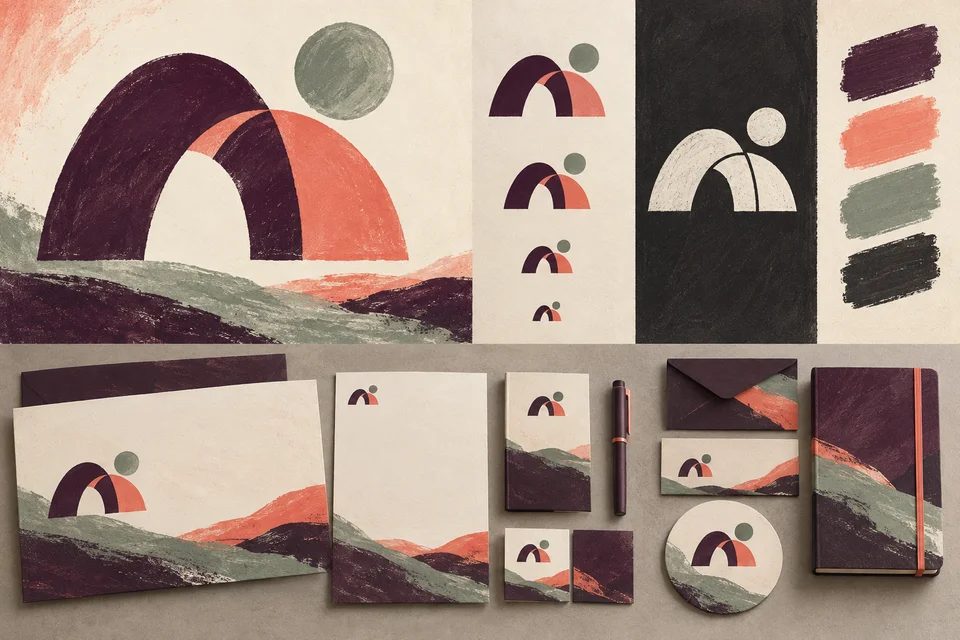
Plan an Edgewood website that connects your services with useful, credible examples.
Create one complete example before filling the archive
Start with a representative project and work through the full content model. Gather the approved facts, images, permissions, and related service information. Decide which fields are essential and which are optional before applying the model across the site.
Review the page on desktop and mobile with actual content. Check whether the sequence makes sense, images remain legible, and the next action is clear. Resolve those issues before entering a large collection that would otherwise need repeated correction.
At launch, test links, inquiries, image loading, and useful existing URLs. A replacement website should account for material customers already use. Migration and redirects are part of continuity, not an afterthought once the new homepage has been approved.
Make future additions realistic for the team
Choose an editing workflow that matches who will maintain the collection. Staff may be comfortable entering approved text and images but not changing layouts. Define editing boundaries and provide guidance for image selection, summaries, and publication checks.
Account access, technical maintenance, and ongoing support need clear ownership. Third-party tools may have recurring costs or limits that affect the project. Discuss those dependencies when selecting features rather than treating every new integration as a free improvement.
Estimate the work around the content volume, migration needs, functionality, design complexity, and review process. An archive with many inconsistent source files can require more preparation than a small new website. A useful proposal identifies those responsibilities explicitly.
Test whether a visitor can understand and act
Ask a reviewer unfamiliar with the business to identify a relevant service, explain what an example demonstrates, and locate the next step. Their response can reveal missing context or confusing labels. This is a practical review method, not a guarantee of future conversions.
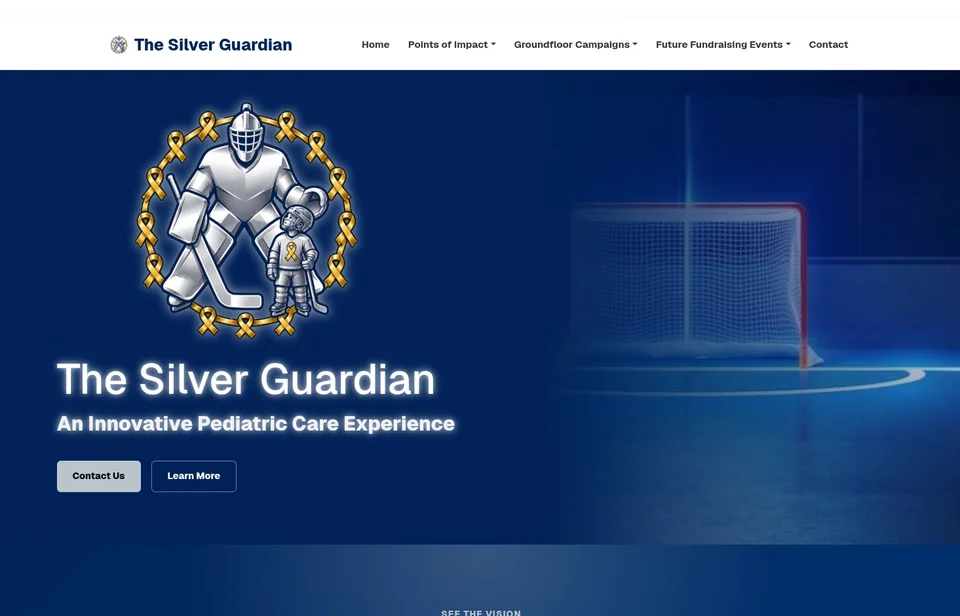
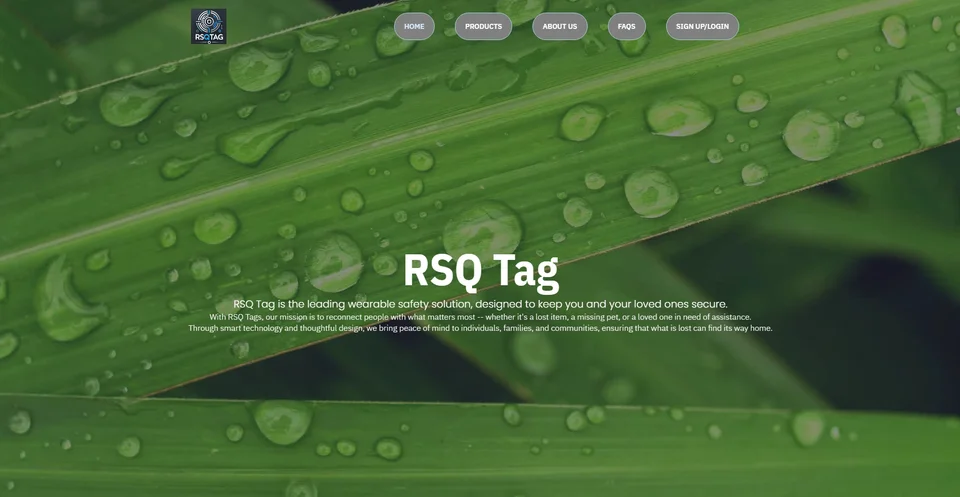
The conceptual interfaces on this page illustrate design possibilities. Existing portfolio images show broader studio work, without claiming Edgewood clients or particular business outcomes. Website quality can support communication, while results also depend on the offer, audience, and follow-through.
Web Development questions for Edgewood businesses
Does every project need a separate page?
No. Use the amount of useful content and the customer question to choose the format. A short summary may be enough for some work, while a detailed example deserves its own page when it adds meaningful context.
Can we use a gallery we already have?
Existing images can be reviewed for quality, permissions, and relevance. The project may involve selecting and reorganizing them rather than replacing everything. Captions and supporting text often need attention alongside the images.
Do we need filters for project examples?
Only when they help visitors navigate the collection. A small archive may be easier to browse without them. Categories should reflect recognizable services or needs and remain useful as the collection grows.
Will staff be able to add new work?
That can be included in the plan. Agree on the editing tools, required fields, image preparation, and approval process. Training and ongoing support should be specified according to the team’s needs.
What should we gather before starting?
Collect approved service descriptions, representative images, publication permissions, existing URLs, and account access. Identify who can verify project facts and approve the work. These inputs make the scope and schedule more dependable.
Explore related services and nearby areas
Edgewood web and design services · Edgewood graphic design · Edgewood logo design · Tacoma services · Puyallup services · Galactic portfolio
Plan your next step
Give visitors a clear path from interest to inquiry
Bring the work you want to show and the questions customers ask about it. We can organize a website that explains your role, supports informed browsing, and remains practical to update.
Discuss your Edgewood project