

A visitor needs a route through your offer
A website for a West Jordan business should help different visitors reach the information relevant to them. A returning customer looking for an update should not have to repeat the same journey as a new buyer comparing providers. A business inquiry may require more detail than a request for a simple household service. Web development begins with these differences, then turns them into a clear structure and dependable interactions.
West Jordan’s economic-development page identifies regional retail at Jordan Landing alongside the city’s broader commercial activity. That context makes the distinction between a visit-oriented website and an inquiry-oriented website useful. A hypothetical shop needs accurate visit information; a hypothetical business supplier needs clear capabilities and a way to describe a project. Neither example implies a Galactic relationship with a local company or shopping center.
For a business serving customers across the valley, a page also needs to explain what West Jordan means to the offer. Is it a visit location, a service area, or the base from which work is delivered elsewhere? Be precise. Geographic wording should help someone decide whether to inquire, rather than suggest a branch, inventory, or response time that the business has not established.

Design the information structure before choosing features
Start by separating services according to the decisions customers make. If two services have different eligibility, preparation, or estimate requirements, give those differences room to be explained. If several offerings share the same process, organize their common information so visitors do not read it repeatedly. Clear grouping makes navigation easier and reduces the temptation to fill a menu with internal terminology.
A service page should answer enough questions to support the next step. Explain the work, suitable situations, important boundaries, and what information the customer should provide. A page for business buyers might include a capabilities overview and verified examples. A visit-oriented page might emphasize current arrangements. Use real business facts and approved material; generic claims of expertise do little to resolve a specific buying concern.
Choose features only after identifying the behavior you need. A request form collects interest; a scheduling system commits to an available slot; a checkout collects payment. Those are different workflows with different requirements. Discuss account ownership, confirmation messages, cancellations where relevant, and third-party costs before treating them as interchangeable buttons. A simpler first release can be useful if its complete path works reliably.
A West Jordan retailer near a regional destination such as Jordan Landing may receive visitors who are unfamiliar with its entrance or appointment arrangements. If that describes your business, supply accurate access instructions and verify any location information before launch. A recognizable district name helps orient people, but it does not replace the details of your own operation.

Make the handoff from visitor to staff explicit
The website should set an honest expectation about what happens after someone submits an inquiry. Identify which information staff need, where the request goes, and how the customer will know it arrived. Ask only for details needed at that stage. A large form can discourage a reasonable first contact, while an unstructured message may leave staff without enough context to answer.
Plan error and empty states as carefully as successful submissions. A visitor should understand which field needs attention without losing the information already entered. Staff should know how delivery is checked and who investigates a problem. Avoid collecting sensitive details unless the project has explicitly addressed why they are needed and how they will be handled. A standard contact form is not a substitute for every specialized intake system.
Accessibility and responsive behavior belong in these decisions. Use visible field labels, logical headings, clear focus states, readable contrast, and controls that remain practical on a phone. A page should not depend on a hover effect or motion to reveal essential service information. These concrete checks improve usability; the scope of any formal accessibility audit should be discussed separately.

Give content, testing, and migration their own place in the plan
Discovery inventories the current site, available content, required functions, and customer paths. A proposed page structure establishes what belongs where. Content preparation then resolves facts and responsibilities before visual design is finalized. If your team is supplying service descriptions or photographs, identify who approves them. Development cannot resolve an offer that the business itself has not yet defined.
During design and implementation, test realistic content at several screen sizes. A long service name, a detailed qualification, or a missing image may expose a weakness that short placeholders conceal. Review the primary tasks directly: find a service, read its limits, open the form, correct an error, and complete the request. Feedback about these tasks is more actionable than a general preference for a different look.
An existing website needs a migration inventory as well as a new design. Identify useful URLs, images, documents, and forms before replacing them. Decide which pages remain, which have a genuine replacement, and which should be removed. Launch checks should cover links, approved redirects, metadata, forms, and key layouts. Domain, hosting, and third-party access must be available to the people responsible for the launch.
Build something your business can keep accurate
Maintenance begins with deciding who changes the content. If staff will edit service descriptions or project examples, discuss a manageable editing workflow and the training or documentation needed. If updates will be requested from Galactic, agree on that arrangement. Hosting, backups, platform updates, and integration accounts have different responsibilities; specify them instead of assuming all ongoing work is included with the initial site.
Scope depends on content volume, functionality, integrations, and migration complexity. A short site with a complicated intake workflow can involve more work than a larger informational site. Separate essential launch tasks from optional additions, then discuss the effect on budget and timing. A deadline is easier to assess when the content owners, approval stages, and technical dependencies are known.
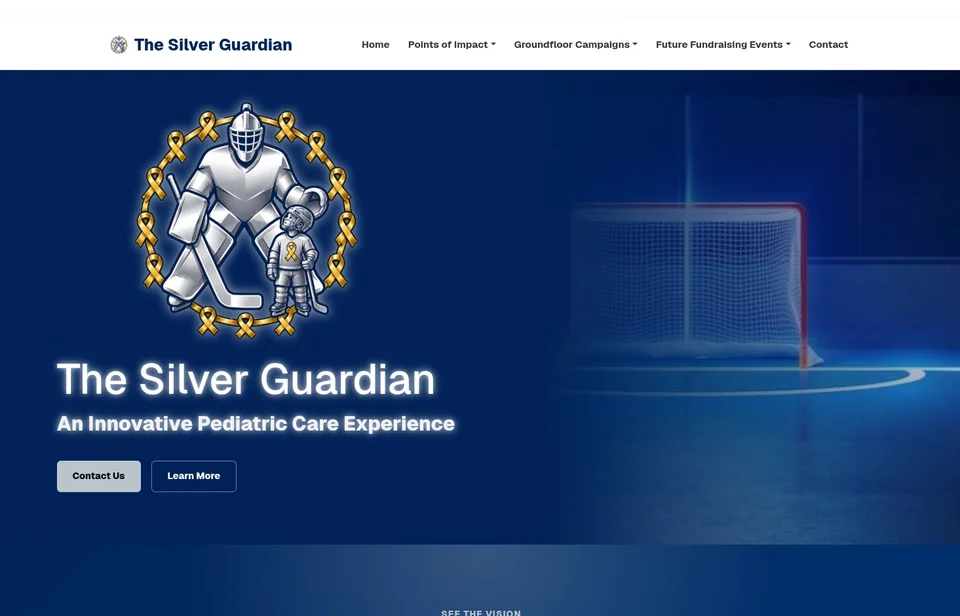
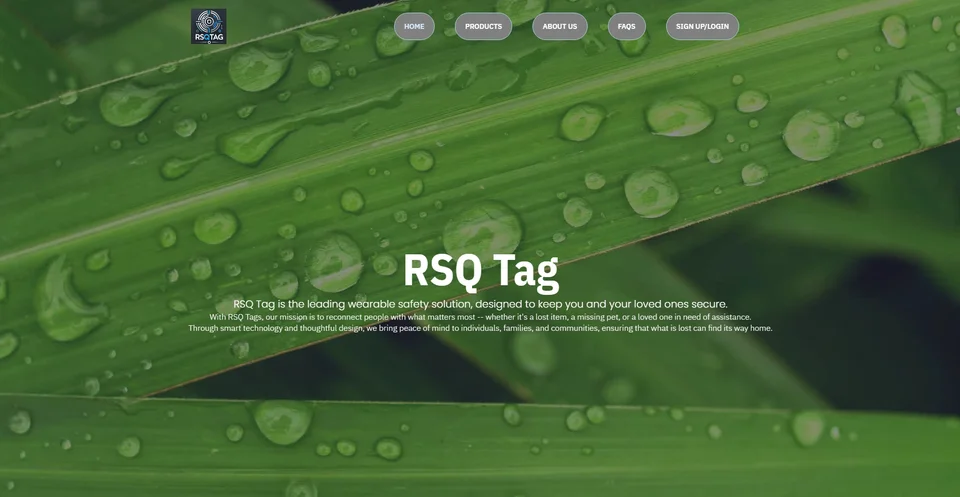
Galactic’s website portfolio provides concrete examples of presentation and organization. Examine whether information is readable and whether the visual approach supports the content. The work shown here is not claimed as West Jordan client work. A new website can help customers understand and act, but rankings and inquiry volume also depend on the market, the offer, content quality, and business follow-through.
After launch, collect the questions people still ask before hiring. If a service area is unclear or staff repeatedly explain the same limitation, improve that part of the site. Discuss measurement tools as an explicit requirement if you need them. Useful evaluation starts with the customer task, not with adding a dashboard that nobody knows how to interpret.
Questions about web development in West Jordan
Can one form serve different customer types?
Sometimes. A clear service selector may route requests usefully, but very different workflows may need separate forms. Decide what staff need to do with each request before selecting the structure.
Can we keep pages that already work?
Yes. Review current pages and their purpose before replacing them. Useful content and URLs may be retained or thoughtfully revised as part of the migration plan.
Should we list every city we might serve?
List accurate service coverage and explain meaningful differences. Do not imply guaranteed availability or a physical branch simply to add location names. Helpful detail matters more than a long city list.
What determines the launch date?
Content readiness, features, access to existing systems, approvals, and testing all affect timing. Share a target date early so the essential scope can be evaluated against those dependencies.
Will we be able to update the website?
Discuss editing access, platform choices, training, licenses, and support in the proposal. Confirm what staff can change safely and what future changes require additional development.
Connect the work across your business
West Jordan web and design services · West Jordan graphic design · West Jordan logo design
Compare relevant service-area information for South Jordan and Taylorsville, or explore Galactic’s portfolio before discussing your scope.
Your next step
Make the next customer decision easier.
Describe the inquiry you want your next visitor to make and the information your staff need to respond. We can plan a West Jordan website that connects those two needs.
Discuss your West Jordan project